Sidekick, ChatGPT, Claude, or a Purpose-Built Tool: Which to Use for What
TL;DR
The four tools boutique owners keep reaching for are good at different kinds of work, so the one to grab depends on the task in front of you. Sidekick is the assistant living inside your Shopify admin, best at editing and answering questions about a store that already exists. ChatGPT and Claude are general thinking tools, strong at brainstorming, drafting, and reading a confusing document, and blind to your actual inventory. A purpose-built tool does one repeatable job the same way every time, and getting a shipment from a vendor's invoice onto your site is exactly that kind of job, the one the chat tools keep making you redo from scratch. Ohavah handles that specific pipeline, so you can use the others for what they're good at and stop fighting them for the part they aren't.
Most boutique owners I talk to aren't short on AI tools. They've got ChatGPT open in one tab, Shopify's Sidekick blinking in the admin, maybe Claude for the longer reading, and a nagging sense that one of these should be handling the pile of work on the desk. What trips them up is knowing which one to reach for when, because they all sound capable and they all answer in the same confident voice.
Here's how I'd sort it. Don't start by asking which AI is smartest. Start by asking what the job in front of you is, because these four tools are built for different kinds of work, and matching them wrong is how you end up fighting a tool that was never meant for it.
Name the job before you pick a tool
One distinction does most of the sorting for you: is this a conversation or a repeatable job?
A conversation is open-ended. You're thinking something through, reacting to a draft, asking a question you don't already know the answer to. Each one is a little different, and the value lives in the back-and-forth. A repeatable job is the opposite. The same kind of thing comes in, the same kind of thing has to come out, and it happens again next week with the next delivery. The work is in doing it correctly and fast rather than discussing it.
Chat tools are built for conversations. They shine on the one-off and wear you down on the hundredth repetition, because a conversation doesn't compound. Every time you run the same task through ChatGPT you pay the same setup, write out the same instructions, and check the same output by hand. A pipeline compounds instead. You set it up once, and the second run costs you almost nothing.
There's a tradeoff here, too. The more a tool can do, the more you have to babysit the specifics, because a tool that does everything knows nothing in particular about your vendors or the way your SKUs are formatted. The narrower a tool is, the more of the job it can finish on its own, because it was built knowing what the work looks like. Something that can write a poem, plan a trip, and draft your captions isn't going to know that this vendor's style codes run six digits with a dash in the middle.
So when you're deciding, don't measure a tool by what it can do. Measure it by how much it takes off your plate once you count the setup, the copy-pasting between windows, and the checking you still have to do at the end. A tool that does ninety percent of a task but makes you re-explain the format every time and verify every number hasn't saved you nearly as much as the demo made it look.
The three jobs, and the tool each one calls for
Sidekick: running the store you already have. Sidekick is Shopify's own assistant, the purple-glasses icon up in your admin. You don't set anything up, and it already knows your store, which makes it the right tool for the everyday business of running a shop that exists. Ask it how to build a discount, have it tidy up a collection, get it to tell you which sizes are running low, let it draft a collection description. It's careful by design, so it shows you what it's about to change and waits for your yes, which is reassuring when you're nervous about breaking something and a drag when you want fifty things done at once. Its world stops at the edge of your Shopify admin, though. It can't open the invoice PDF sitting in your email, and it won't reach anything outside the store. If you want the full picture of what it can and can't touch, we covered that in what Shopify's AI connector and Sidekick actually do.
ChatGPT and Claude: thinking, drafting, and making sense of a mess. These are the general reasoning tools, and the work they're built for is the open-ended kind. Brainstorming names for a trunk show, turning your rough notes into a caption that sounds like your store, reading a vendor's three-page return policy and telling you what actually changed this season, talking through whether a style is worth reordering. Claude tends to hold up better on long documents and ChatGPT is the one most people already have open, but for a boutique's purposes they're interchangeable enough. What they share is the same blind spot. Neither can see your store or the box on your stockroom floor, so the second you ask them for a fact about a physical garment, they'll hand you a plausible one they made up. We went deep on that in the do's and don'ts of using AI in your boutique, and it's the most expensive way to misuse them.
A purpose-built tool: the same job, done the same way, every time. The third is the repeatable job, and it's the one the general tools keep making you rebuild from scratch. A purpose-built tool does one narrow thing and does it identically every time. For a boutique, the clearest example is also the one that eats the most hours, taking a supplier's invoice and turning the whole shipment into listings that are ready to go live. That's not a conversation. The same messy PDF comes in, the same clean and correctly structured products need to come out, and it repeats with every delivery. A tool built for exactly that can own the job from start to finish, which is what Ohavah does.
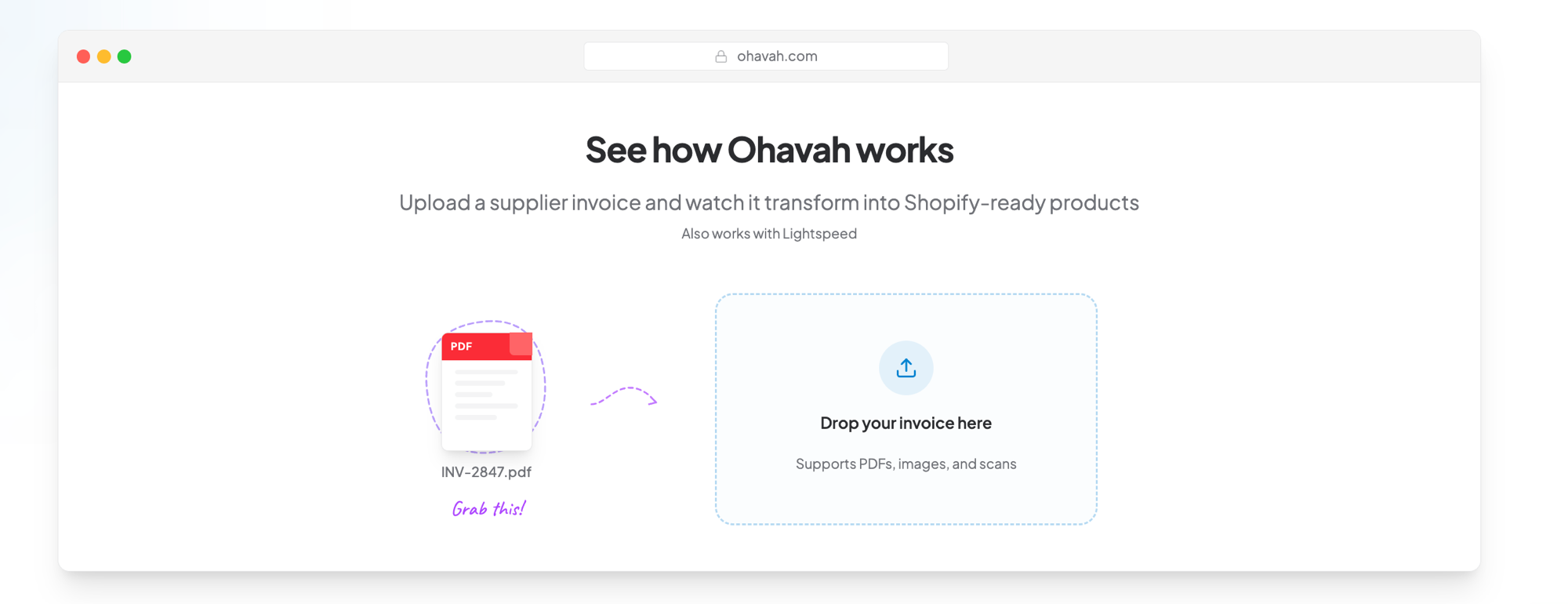
The repeatable job the chat tools keep making you redo
Ohavah turns a supplier invoice into ready-to-import Shopify listings, with variants, SKUs, pricing, and tags filled in from the order, the same few clicks on every shipment instead of a fresh setup each time.
 Lacy · Willowmere BoutiqueCalled it “an absolute game changer” for launching her new website.See Lacy’s story →
The difference is easier to see with a real shipment on the table, so let's run one through all three.
The same shipment, run through each tool
Picture a normal week. A fall delivery lands: around forty styles, most in three or four colors with a full size run, which adds up to a couple hundred variants once you count every size-and-color combination. They need to be live on Shopify, correctly, before you can sell a single one. Here's how each tool handles that identical pile.
Sidekick earns its keep after the products exist. If the listings are already in and you want to bulk-edit tags or nudge prices, it's useful. What it won't do is build two hundred variant rows from a PDF it can't open, so you'd still be typing every style in by hand while Sidekick answers questions on the side.
ChatGPT or Claude will take a swing at the whole thing. Paste in the invoice text, ask for a Shopify CSV, and you'll get back something that looks right at a glance. Then the setup tax comes due. You have to spell out your SKU format, your markup, your rounding rule, the way you name colors, and how Shopify wants variants structured, and you have to spell all of it out again next shipment because the chat doesn't remember your store. Along the way it'll miscount a size run, guess at a style code it couldn't read cleanly, and happily invent fiber content nobody gave it. You can get there, but you've become the project manager of a bright assistant with no memory, and the review takes about as long as the work would have.
Ohavah treats it as the repeatable job it is. You upload the invoice PDF and it reads every line against the SKU formats boutique vendors actually use, expands each style into properly structured size and color variants, applies your markup and rounding to turn wholesale into clean retail prices, and builds the entire import file in one pass. Your job shrinks to spot-checking instead of rebuilding. The second shipment is the same few clicks as the first, because the setup happened once and it stuck.
| Running the shipment | Sidekick | ChatGPT / Claude | Ohavah |
|---|---|---|---|
| Builds listings from the PDF | No, can't open it | Attempts it | Yes, in one pass |
| Setup each shipment | None, but no help here | Re-explain format every time | Once, then it's remembered |
| Manual handoffs | Type it all yourself | Copy-paste between windows | Upload, then import |
| Review effort | You did the work, so all of it | Check every SKU, price, variant | Spot-check, not rebuild |
| Gets easier with repetition | Same each time | No, it forgets your store | Yes, it compounds |
The same split shows up across most of the finicky, recurring parts of a boutique's week. A general tool can produce the thing once, and then charges you the setup and the review all over again on the next round.
When a chat tool is all you need
None of this means you need a dedicated tool for everything, and I'd rather you not pay for one you won't use. If you add a handful of products a month and you type them in yourself, ChatGPT drafting the descriptions is plenty, and a pipeline would sit idle. If most of your week is tweaking a store that's already built, Sidekick is right there in the admin at no extra cost. The case for a purpose-built tool shows up when one job is both repetitive and fiddly enough that redoing it by hand, or re-teaching it to a chatbot, is the thing eating your evenings. Invoice-to-listing is that job for a lot of boutiques. If it isn't for you, the chat tools are a fine place to stay.
Match the tool to the task
The sorting rule is short enough to keep in your head. For running the store you already have, Sidekick. For thinking, drafting, or making sense of a confusing document, ChatGPT or Claude, with a firm hand on anything that claims to be a fact about your merchandise. For a job that comes back every week looking the same, a tool built for that exact job.
Ohavah is built for one of those recurring jobs, the one that tends to cost a boutique the most time, turning a supplier invoice into accurate, ready-to-import Shopify listings, with the titles, variants, SKUs, pricing, and tags filled in straight from the order instead of guessed. The attributes an AI tool later reads off your product page, or a shopper asks an assistant about, are correct because they came off the document instead of a confident guess. Used alongside the others, each doing what it's good at, it means a shipment can be selling the day it lands instead of the night you finally finish typing it in.
Try Ohavah free and turn your next shipment's invoice into ready-to-import listings.
Related next steps
LacyWillowmere BoutiqueCalled it “an absolute game changer” for launching her new website.