Why an AI-Generated Spreadsheet Can Look Right and Still Be Wrong
TL;DR
When you paste a supplier invoice into ChatGPT and ask for a product spreadsheet, you get back something that looks finished: neat columns, every row filled in, a total at the bottom. What you can't see is that the model got a few numbers wrong along the way, and nothing in the file flags it. A SKU lost its leading zero, the quantities for small and medium got swapped, the wholesale cost landed in the price column. None of those look wrong on screen, and all of them cost you money after import. Before you trust an AI-built spreadsheet, run three checks: reconcile the totals against the invoice, confirm the identifiers are intact, and trace a few sample rows back to the paper. Ohavah skips the retyping entirely by reading the invoice into an accurate import file, with SKUs, quantities, and marked-up prices pulled straight from the document instead of guessed.
A lot of boutique owners have landed on the same shortcut. You paste the vendor's invoice into ChatGPT, ask it to "put this into a spreadsheet I can import," and let it do the typing. It feels like a great use of the tool. The invoice is a mess of line items, the model is fast, and what comes back is a tidy grid with your styles, colors, sizes, and prices all lined up.
The file looks right, which is exactly the problem. A spreadsheet carries an authority that prose doesn't. A paragraph can read awkwardly and you'll notice; a column of numbers looks equally correct whether the numbers are right or not. When AI transcribes forty line items off an invoice, it gets most of them perfect and mangles three, and the three mistakes sit in the grid looking just as settled as everything else. You import the file, and the errors become live product data before anyone catches them.
These aren't the dramatic hallucinations you'd spot on sight. They're small, plausible, numeric slips, which is the kind of mistake a language model is most prone to and the kind a quick scroll is least likely to flag.
The errors that hide in a clean-looking spreadsheet
Dropped leading zeros. This is the classic one, and it bites because both AI and spreadsheet software treat a code like 0415 as the number 415 and throw the zero away. Style numbers, SKUs, and UPCs are strings of digits that have to stay exactly as printed, and a barcode that's supposed to be twelve digits becoming eleven breaks scanning, breaks reorder matching, and breaks any lookup that depends on the exact code. You won't see it unless you're looking at that specific cell, because 415 is a perfectly believable SKU on its own.
Size quantities in the wrong column. An invoice usually lists a size run as a little grid: 2 small, 4 medium, 4 large, 2 extra large. When AI reads that off a photographed or densely formatted invoice, it sometimes transcribes the counts in the wrong order, so you end up receiving two smalls but your spreadsheet says you ordered eight. Your inventory is now wrong from day one. You oversell the size you barely have and sit on the size you overcounted, and you won't understand why until a customer orders a small that isn't there.
Wholesale cost sitting where retail belongs. Invoices show you the wholesale cost, what you paid the vendor. Your store needs the retail price, what the customer pays. If the AI drops the cost figure straight into the price column, you've just listed a $24 wholesale top for $24 instead of the $52 you meant to charge. Sell a few before you notice and you've handed away your entire margin on those units. The reverse happens too, a retail figure landing in a cost field, which corrupts every margin report you run later.
Quantities and line totals that don't reconcile. Sometimes the per-line math is fine but a row got dropped entirely, or a quantity got rounded, or two similar styles got merged into one. The spreadsheet still looks complete because every visible row is filled in. The only way to catch a missing or merged line is to check whether the pieces in the file add up to the pieces on the invoice.
What ties all of these together is that the wrong value is always a believable value. 415 is a fine SKU, eight smalls is a fine quantity, $24 is a fine price. The model isn't inventing nonsense you'd laugh at; it's producing the ordinary-looking thing that happens to be off, which is both what a language model does best and what a tired scroll through a long file will never catch.
A five-minute check before you trust the file
You don't have to re-key the whole invoice to catch these. A short, repeatable pass over any AI-generated spreadsheet catches the mistakes that actually hurt, and it takes about five minutes.
Reconcile the totals. Add up the quantity column and compare it to the total units on the invoice. Add up the line costs and compare that to the invoice's total. If both numbers match, no line got dropped, merged, or miscounted. If they don't, you've found a problem before it reached your store, and the gap usually points you straight at the bad row. This one check catches more than any other because it tests the whole file at once.
Check the identifiers. Scan the SKU, style number, and barcode columns and confirm they're the right length with any leading zeros intact. If your vendor's SKUs are four digits and you see a three-digit one, a zero got eaten. Make sure those columns are formatted as text, not numbers, so the spreadsheet stops trimming them on its own. Identifiers are the fields everything else keys off, so a wrong one breaks reorders and lookups down the line.
Trace a few sample rows back to the invoice. Pick three or four rows at random and verify every field against the source document: the style, the color, the size breakdown, the cost, and the price you set. Spot-checking a handful of complete rows surfaces the systematic mistakes, like cost landing in the price column or sizes reading in the wrong order, because if the AI got the pattern wrong it got it wrong everywhere, and you'll see it in the first row you trace.
Those three passes, totals and identifiers and sample rows, are the difference between a spreadsheet you're guessing about and one you actually trust. It's the same habit that keeps AI from inventing facts about your garments, applied to the numbers instead of the words.
Get a spreadsheet built from the invoice, not retyped from it
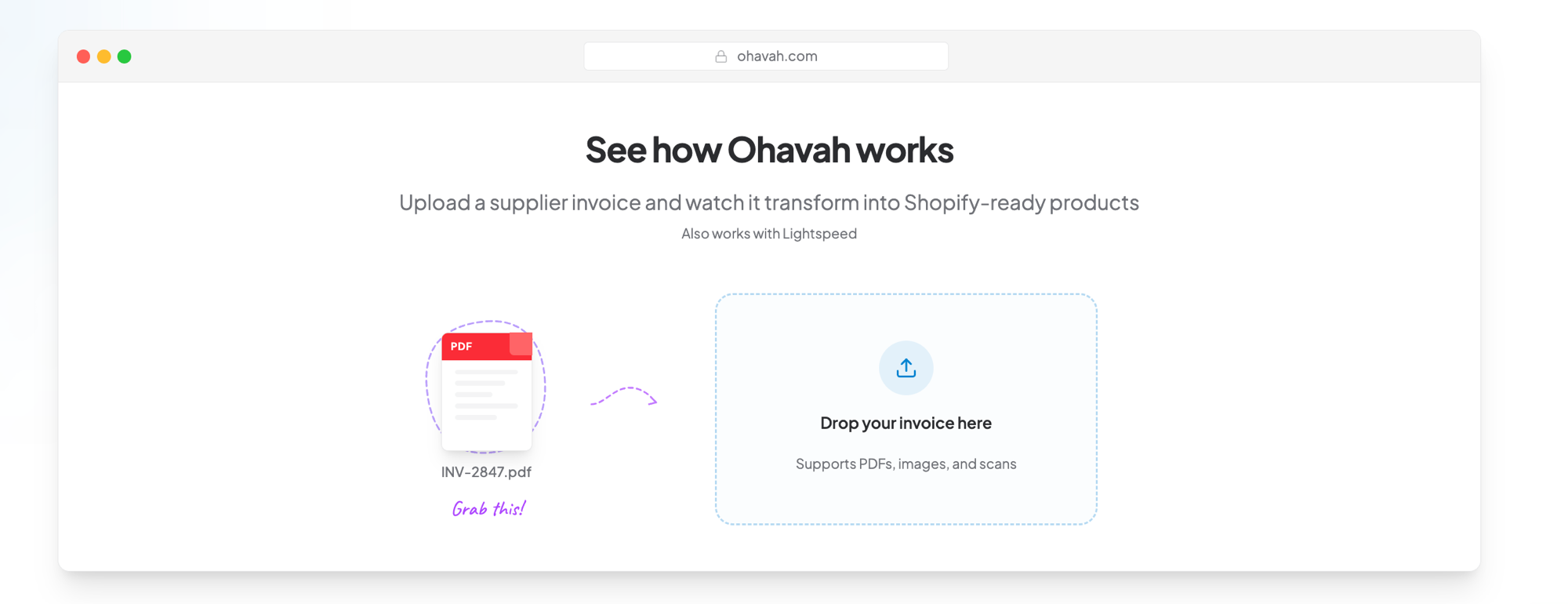
Ohavah reads your supplier invoice into a correctly formatted import file, keeping SKUs exact, mapping every size count to the right variant, and applying your markup, so the numbers come off the document instead of getting guessed.
 Lacy · Willowmere BoutiqueCalled it “an absolute game changer” for launching her new website.See Lacy’s story →
There's a deeper issue underneath all of this, which is that a general chat tool is reading your invoice as plain text and retyping it, with no idea what a SKU is or that a cost column and a price column are different things. It's transcribing, and transcription at scale drops digits and swaps cells. A better prompt won't fix that, because the problem is asking a text model to act as a data pipeline in the first place.
Build the file from the invoice, not from a guess
Every mistake above comes from the same root, which is that the AI is re-keying structured data it doesn't understand, so the useful move is to stop treating the invoice as text to retype and start treating it as a document to read.
Ohavah does exactly that. Upload your supplier invoice and it reads every line into a correctly formatted import file, keeping SKUs and style numbers as exact text so leading zeros survive, mapping each size count to the right variant row so your quantities match what you actually ordered, and applying your markup so the price column holds retail while the cost stays where it belongs. The numbers come off the document instead of getting guessed, which is the whole difference between a spreadsheet that looks right and one that is right. If you want to understand the file it produces, our guide to the Shopify product CSV format walks through every column.
AI is useful for the messy, reversible parts of running a boutique. Turning a vendor's invoice into live inventory and pricing isn't one of them, because the cost of a mistake you don't catch is a stockout or a blown margin you find out about weeks later. Let a tool that reads the document do the data entry, keep your five-minute check for anything a general model touches, and you get the speed without importing the errors.
Try Ohavah free and turn your next invoice into an accurate import file in minutes.
Related next steps
LacyWillowmere BoutiqueCalled it “an absolute game changer” for launching her new website.