Purchase order and invoice OCR,
made for retail stores
Upload a supplier invoice or purchase order. Ohavah reads it with OCR and turns it into Shopify-ready products in minutes.
7-day trial. Cancel anytime.
Market Vendor — Purchase Order #4820
STYLE 4471 — Brushed Rib Mock Neck — Oatmeal, Black — S, M, L
STYLE 2208 — Wide Leg Linen Pant — Sand — XS, S, M, L
STYLE 9930 — Cropped Denim Jacket — Light Wash — S, M, L
STYLE 6615 — Ribbed Tank — Ivory, Sage — S, M, L
STYLE 3102 — Satin Slip Dress — Champagne — XS, S, M
 Drop invoice here
Reading invoice line items...
| TITLE | SKU | COLOR | SIZE | PRICE | TYPE | CATEGORY | TAGS |
|---|---|---|---|---|---|---|---|
| Brushed Rib Mock Neck | 4471-OAT-S | Oatmeal | S | $54.00 | Sweater | Tops > Sweaters | 4471 |
| Brushed Rib Mock Neck | 4471-OAT-M | Oatmeal | M | $54.00 | Sweater | Tops > Sweaters | 4471 |
| Brushed Rib Mock Neck | 4471-BLK-S | Black | S | $54.00 | Sweater | Tops > Sweaters | 4471 |
| Wide Leg Linen Pant | 2208-SND-S | Sand | S | $68.00 | Pants | Bottoms > Pants | 2208 |
| Wide Leg Linen Pant | 2208-SND-M | Sand | M | $68.00 | Pants | Bottoms > Pants | 2208 |
| Cropped Denim Jacket | 9930-LTW-M | Light Wash | M | $82.00 | Jacket | Outerwear > Jackets | 9930 |
| Ribbed Tank | 6615-IVY-S | Ivory | S | $28.00 | Tank | Tops > Tanks | 6615 |
| Satin Slip Dress | 3102-CHM-S | Champagne | S | $74.00 | Dress | Dresses | 3102 |
Most invoice OCR tools were built for accounting teams. They read a document and hand you back raw data, the line items, totals, and tax. That's useful when you're reconciling the books, but you still have to turn it into products your store can actually sell.
Ohavah is OCR for store owners. It reads your supplier invoice or purchase order and gives you products that are ready for Shopify, with every size, color, and price already in place.
What is invoice OCR?
OCR stands for optical character recognition. It's the technology that reads the text inside a PDF or a photo of a document and turns it into data a computer can work with, instead of a flat image your software can't open.
Invoice OCR points that at the paperwork your suppliers send. Rather than reading each line and typing product names, SKUs, sizes, and prices into your store by hand, the software extracts that information for you. Purchase order OCR does the same for the POs you send or receive before a shipment lands.
What Ohavah reads from your invoice or PO
One upload, and the details you'd normally retype are already structured and ready.
- Product names, SKUs, sizes, colors, and prices, pulled straight off the document
- Any supplier format, whether it arrives as a clean PDF or a scan of a printed order sheet
- Over 95% accuracy on average across the invoices we process
- Everything stays editable, so you review and adjust before a single product imports
How Ohavah turns your invoice into products
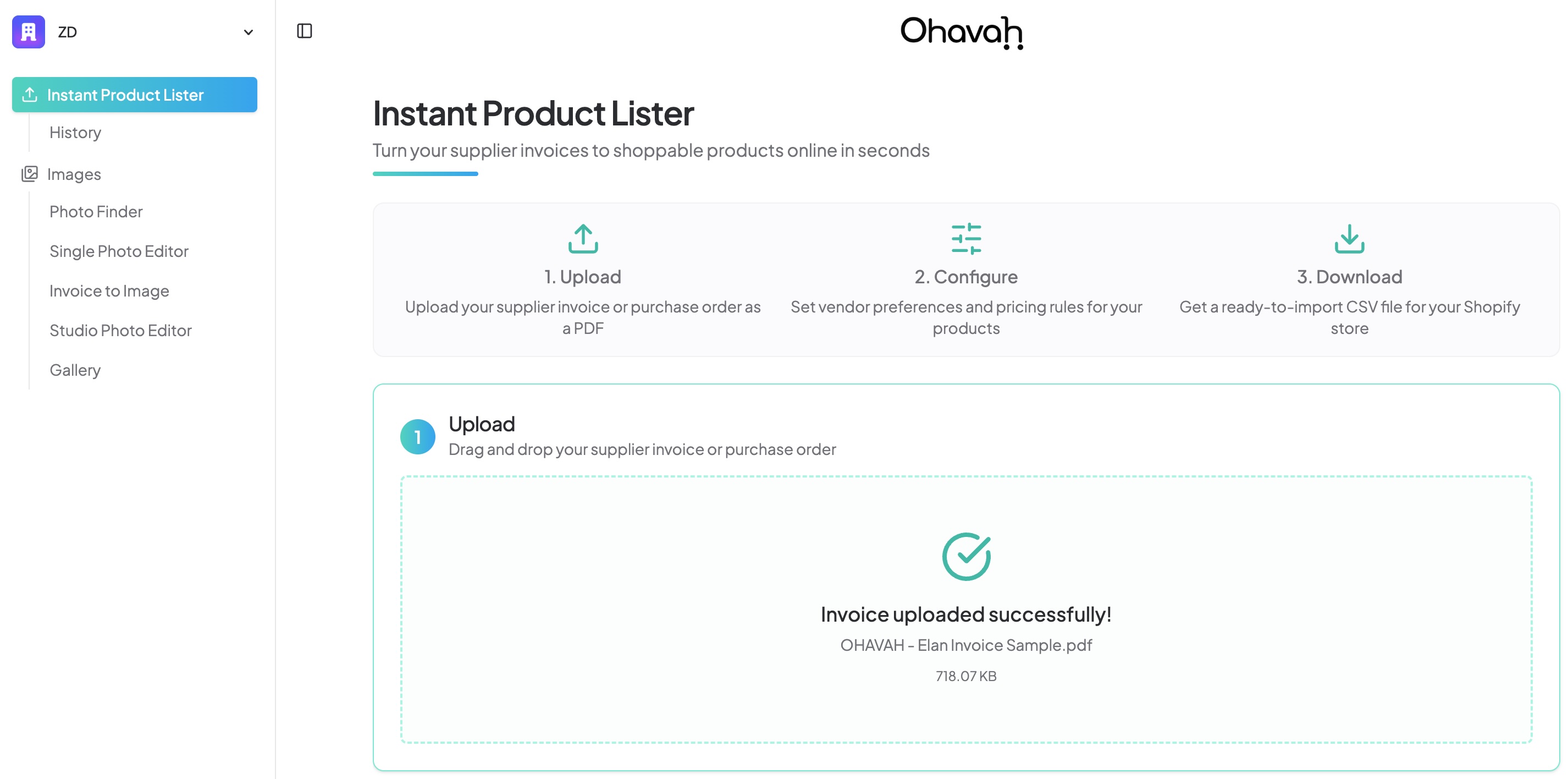
Drag in a supplier invoice or purchase order as a PDF. Ohavah reads it right away.
General OCR tools vs. Ohavah
| General OCR tools | Ohavah | |
|---|---|---|
| Built for | Accounting and bookkeeping teams | Retail store owners |
| What you get back | Raw text or data fields | Shopify-ready products with variants |
| Setup | Templates and field mapping to configure first | Nothing to set up, works on the first upload |
| The Shopify CSV | You still build it yourself | Ohavah creates it for you |
| Sizes and colors | Left as plain text | Turned into real product variants |
What boutique owners are saying
Real reviews from the shops using Ohavah every week.
“Easy to navigate and SUPER helpful to knock off hours of entering products. Excellent customer service, with quick replies to any questions. I dreamt something like this would come along, and Ohavah feels so professional, you just enter your PO's and it takes care of the rest. 10/10 would recommend!”
“As a new customer to Ohavah their customer service is top notch!! The entire team is very knowledgeable, patient and willing to help out anytime. I absolutely love the photo upload feature and the time it saves me to get our products online and ready for our brick and mortar business. I highly recommend this to save you time and money in the long run. It allows me more face to face time with our customers each day.”
“We get orders/invoices from several different vendors. The formats are very different. Ohavah has provided great support to increase their ability to read the various formats. I can't tell you how much time this saves when entering products.”
“I've had a fantastic experience with Ohavah so far! The team has been responsive, flexible, and willing to tailor the platform to meet our specific needs. Working with Pedro has been a pleasure, and the support has been excellent. Ohavah is a valuable tool that will save us time and streamline our processes, allowing us to focus more on the business.”
“Ohavah has completely streamlined our invoice entry process and saved us so much time. Their team is knowledgeable, responsive, and always willing to help. We love this product and can't imagine going back to the old way of doing things. Highly recommend!”
“Ohavah made my Shopify product listing process so much quicker and easier. The image generation tool is also amazing and makes my products look clean and uniform across my site.”
“Ohavah is an incredible tool for us boutique owners! Entering products individually on Shopify has always been so time consuming that it stopped us from listing them at all! This has been a great tool for us small businesses to sell online and the team has been a huge help and always responsive and ready to help. Thank you!”
“Useful, easy to use tool! What a time saver, so much better than manually filling out Shopify. The team is helpful and responds fast.”
“Ohavah is saving me so much time loading product to Shopify! Honestly, the worst part of running a site is now a breeze. Highly recommend!”
Frequently asked questions
What is purchase order OCR?
Can OCR read supplier invoices from any brand?
How accurate is invoice data extraction?
Can I turn a PDF invoice into a Shopify CSV?
Does it work with Lightspeed?
How does the free trial work?
Upload your next invoice and watch it become products
Try Ohavah free for 7 days and see your supplier invoice turn into a Shopify-ready import.